I use Google Flights and Seats.aero most days, opening each in a separate tab in my Chrome browser while working on stories and booking my own travel to find the best redemptions. But Seats.aero recently launched a new Chrome extension that displays award pricing directly in Google Flights.
Google Flights remains the tool for comparing schedules and cash fares, while the extension overlays award options without requiring a separate Seats.aero search.
To install the Chrome extension, head to this page on Seats.aero and follow the steps. Note that this page incorrectly showed I’d installed the extension, so you may need to click on the link from this page to go to the Chrome Web Store and install the extension, even if that step shows as completed.
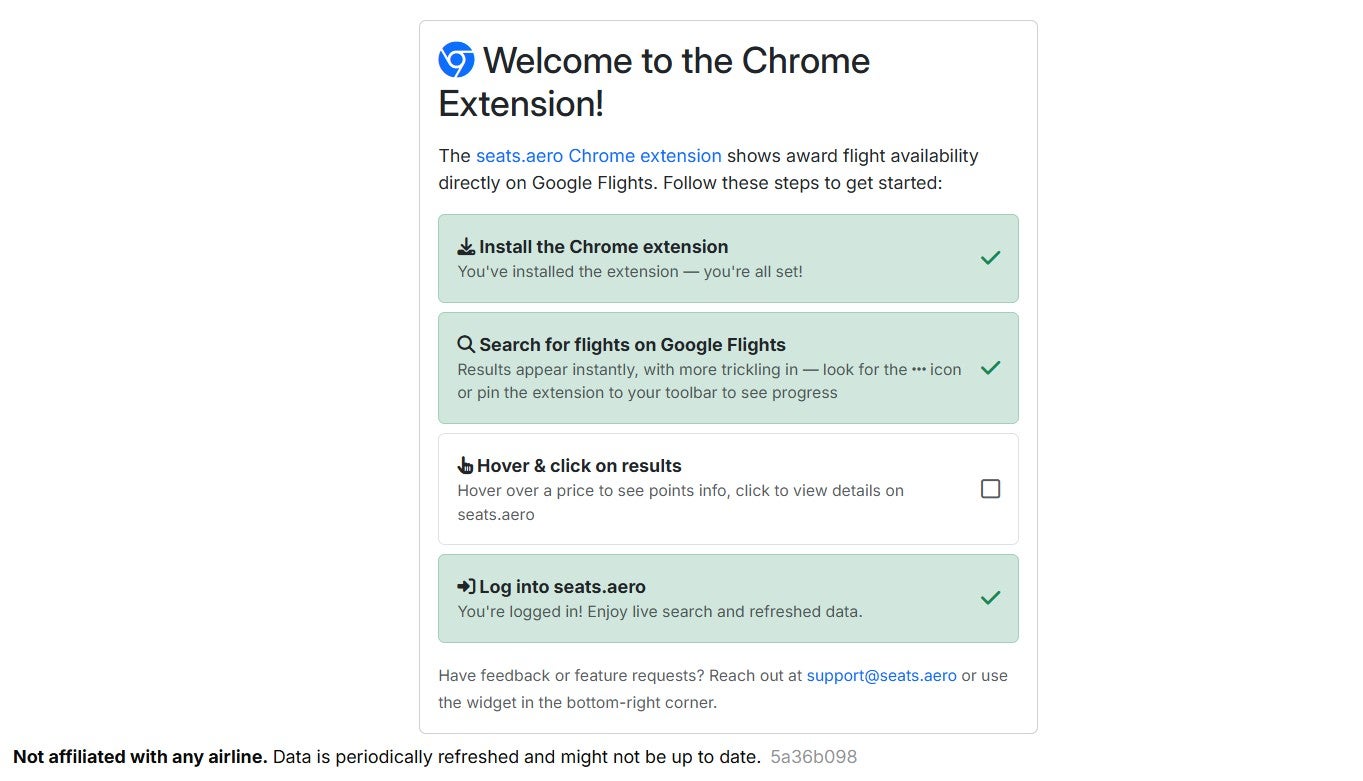
Note that by installing this extension, you’re giving it permission to read and change data on Google, Chase Travel, Amex Travel and Seats.aero. I decided giving the permission was worth it, but you should make your own decision before just hurrying to install the extension.
The extension installed quickly from the web store and began working immediately when I opened Google Flights in a new tab and searched.
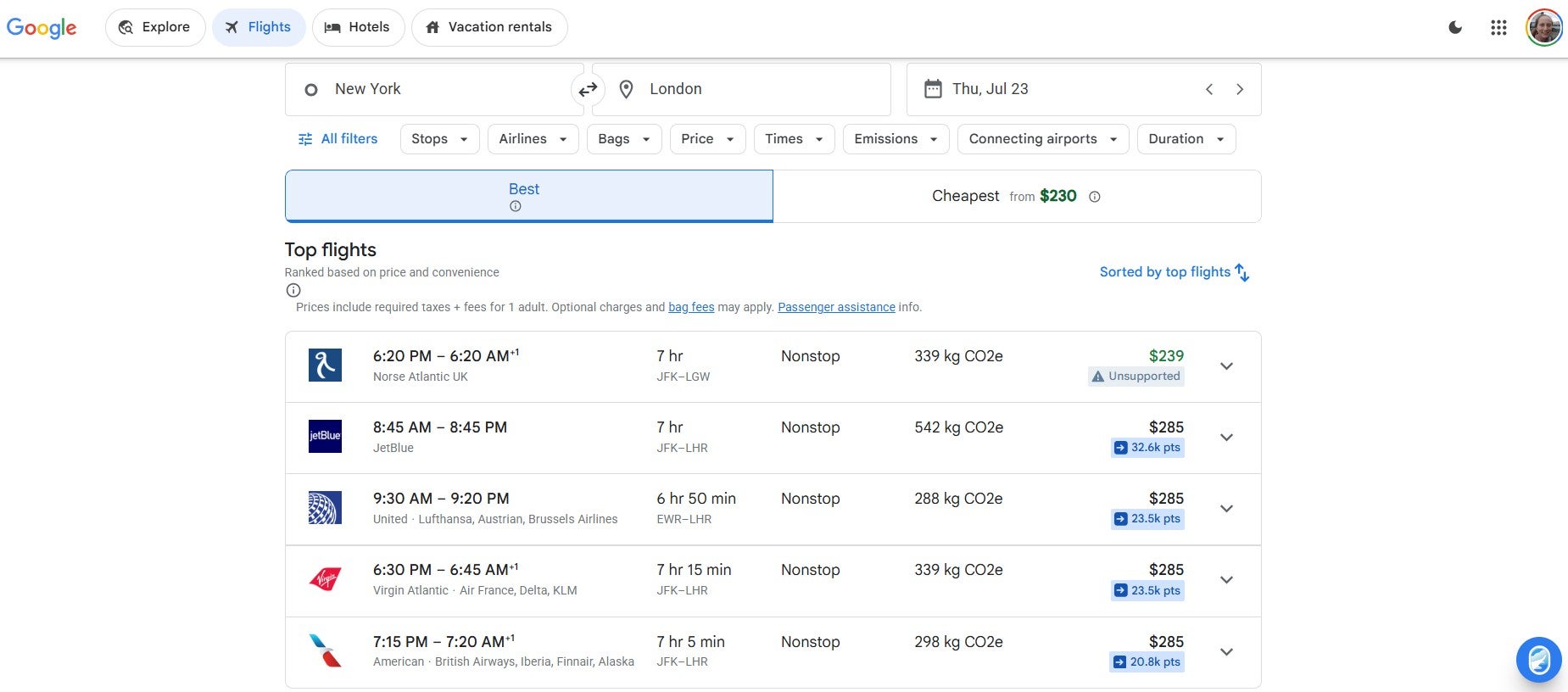
As with Seats.aero’s website, the award pricing results this extension shows are often cached rather than being real-time. As such, it’s important to keep in mind that you may see award availability and pricing that is no longer available when you use the Seats.aero Chrome extension. Search the program’s website to confirm availability and pricing before transferring any rewards.
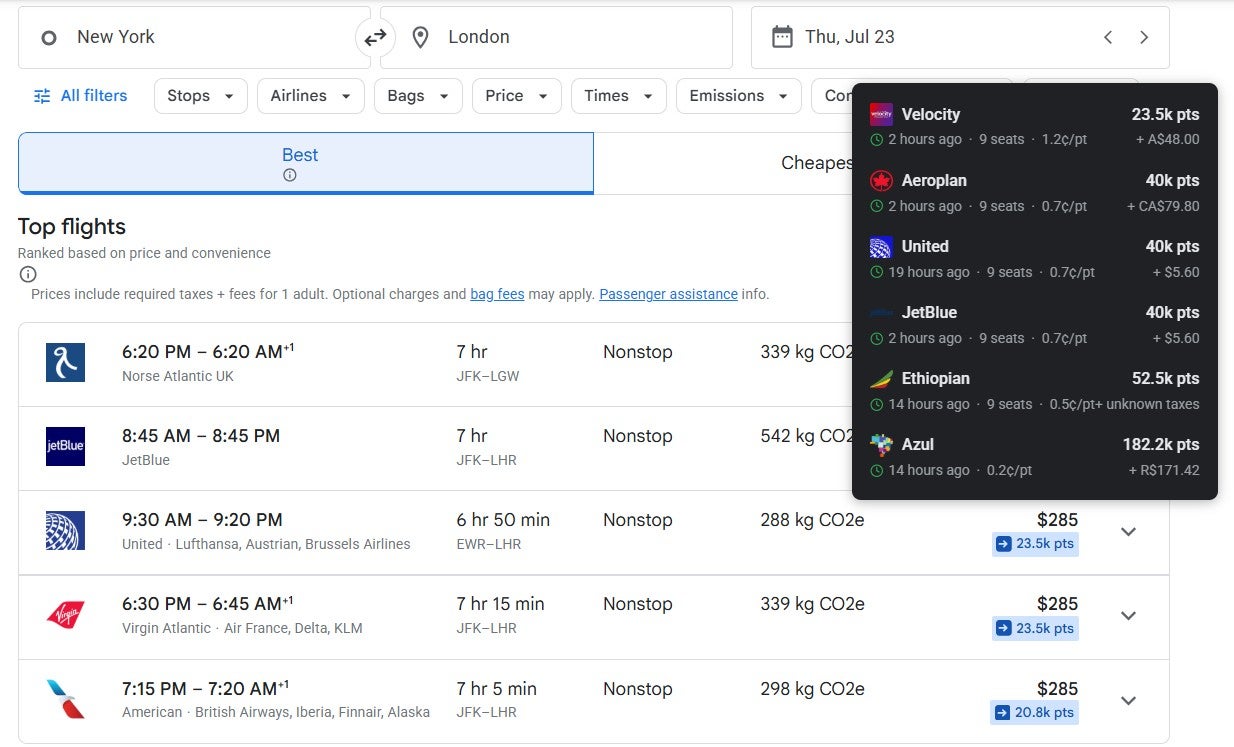
If you hover over the award cost for a particular flight, you’ll see the details Seats.aero has for all the different programs you could potentially book the flight through.
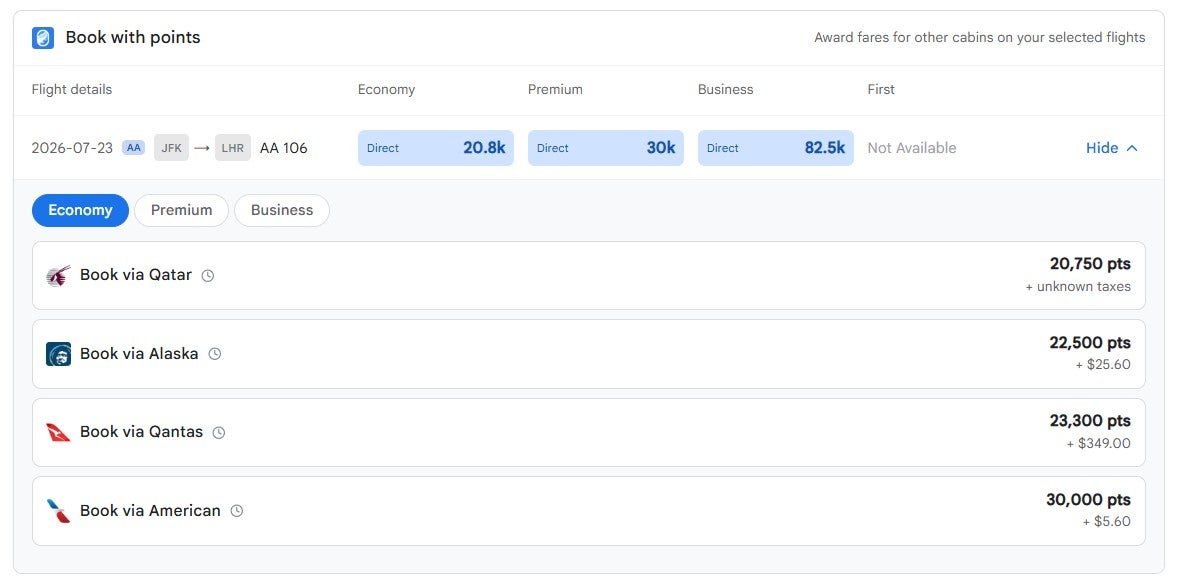
If you click the award cost on the search results page, you’ll go to a page that shows the lowest cost for each cabin.
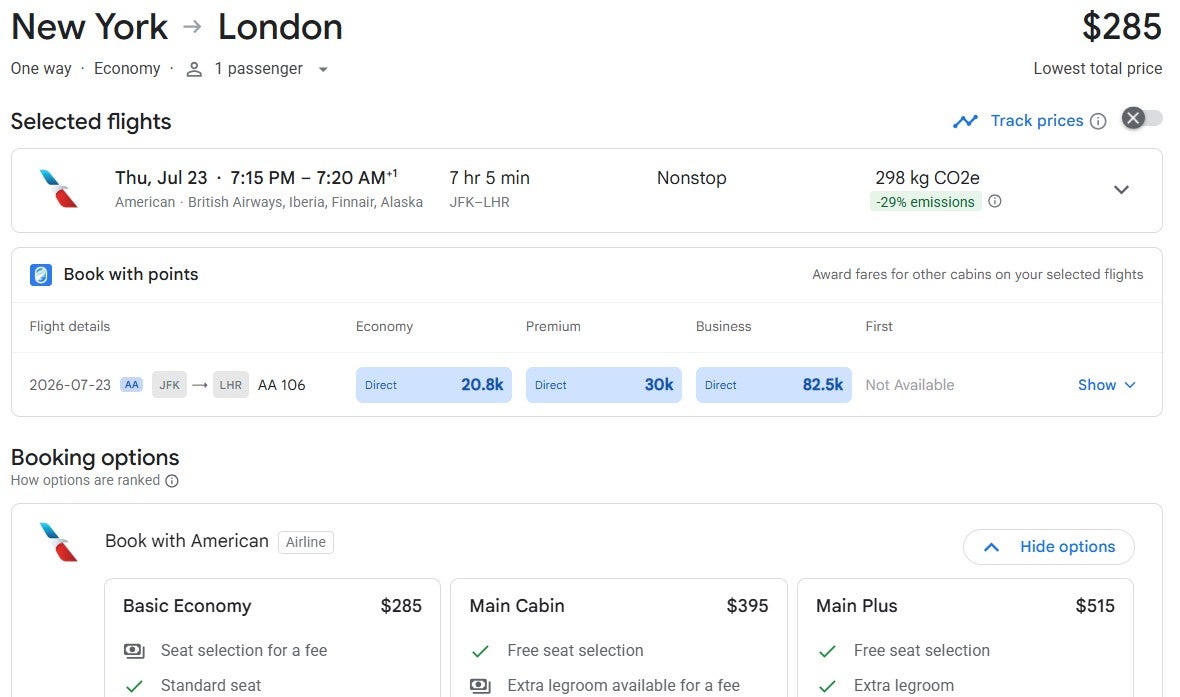
Click “Show” with the down arrow to see the award rates in each cabin that Seats.aero has found through various programs it covers. Clicking a result takes you to the loyalty program’s website, where you can confirm availability and attempt to book.
You won’t see when a result was last seen by Seats.aero unless you use the hover feature on the initial search results page. But you can filter the results you see through the Seats.aero extension in Google Flights by:
- Transfer partners: Set which transfer partners you want to see results for
- Programs: Set which airline programs you want to see results for
- Points: Set the maximum award cost you want to see
- Max fees: Set the maximum in taxes and fees that you’re willing to pay (this is only available if you have a Pro membership, which costs $9.99 per month or $99.99 per year)
For example, I set my transfer partners to those I have access to, opted to not exclude any programs and set the maximum award cost to 30,000. After I applied those settings, many flights displayed a message that the available award options did not meet my filters, likely because they cost more than 30,000 points.
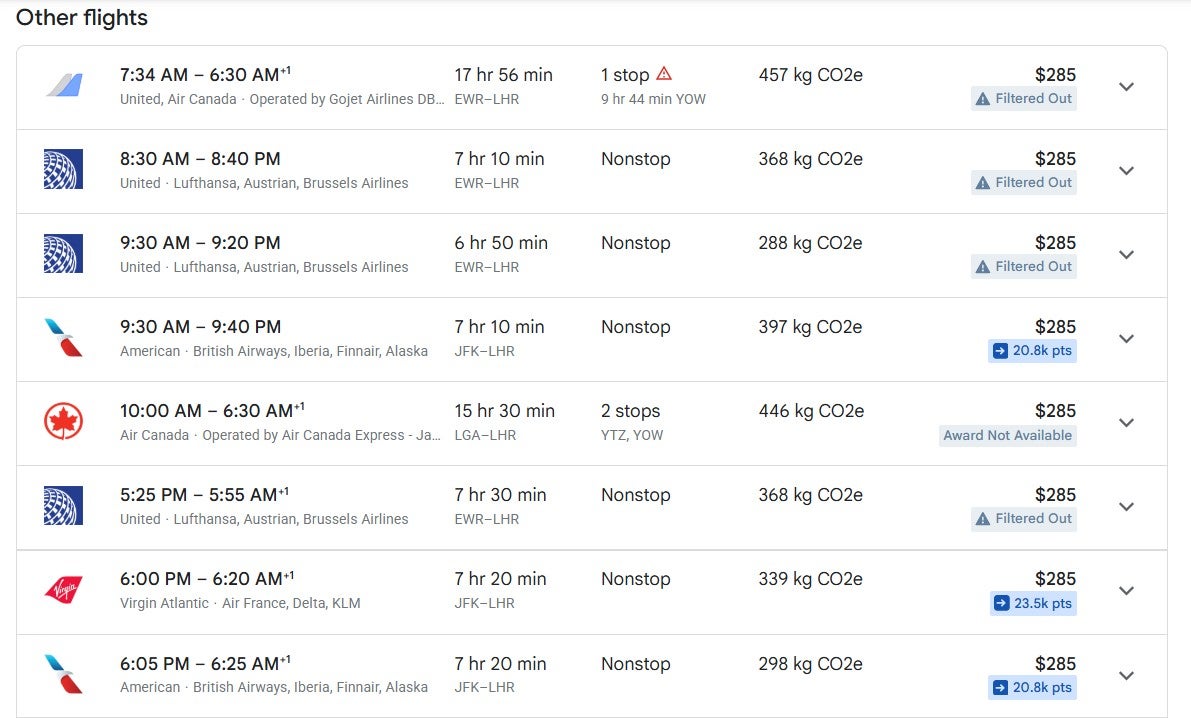
Sadly, the extension kept logging me out, so I had to log back into Seats.aero multiple times while working on this story. Seats.aero may address this issue in a future update, but the repeated logouts made the extension frustrating to use during my testing.
I’d been using the Points Path extension for Google Flights, so I’m curious to see how this new Seats.aero extension compares. Based on my initial testing, Points Path still presents award options in a simpler format that may be easier for beginners to understand and compare to paid rates. Meanwhile, the Seats.aero extension offers broader program coverage and more filtering options, making it more compelling for experienced award travelers who are comfortable evaluating multiple loyalty programs independently.
Editorial disclaimer: Opinions expressed here are the author’s alone, not those of any bank, credit card issuer, airline or hotel chain, and have not been reviewed, approved or otherwise endorsed by any of these entities.